Crushgas Reforged adds HID controller setup
USB and Bluetooth gamepads get remappable buttons and sticks, live input testing, calibration and saved controller layouts.
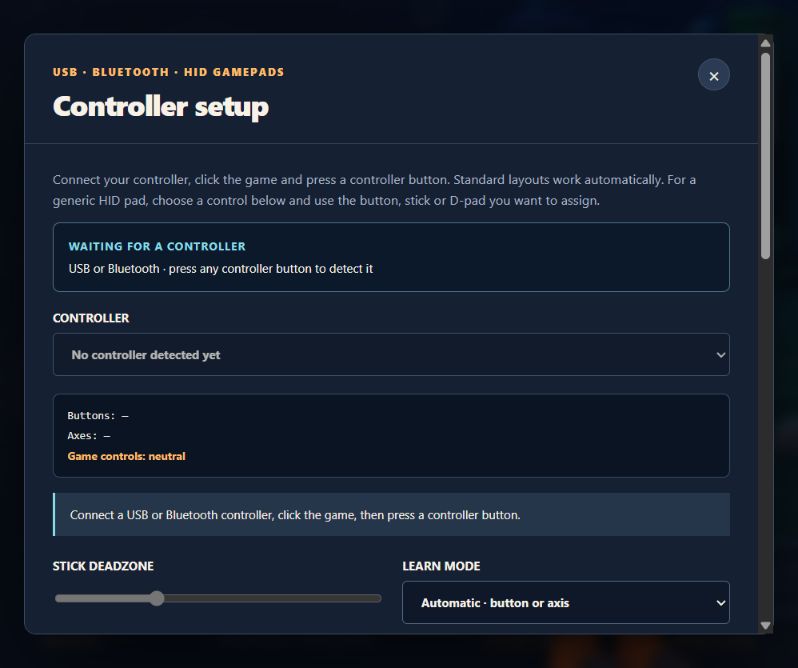
Crushgas Reforged now has a dedicated Controller setup screen, available from the title screen, Settings and the PAD button during play. Standard layouts work automatically, while browser-detected generic HID pads can be mapped to the game’s controls.
Choose a connected controller and assign its buttons, sticks or trigger axes. Generic POV hat switches can also be learned, including neighboring diagonal directions. The live test shows raw input readings and the game actions they produce.
Adjust the stick deadzone, calibrate neutral positions, clear an assignment or restore the default layout. Layouts are saved for each device in this browser. Guard and Resolve Blast retain their held-button behavior, and menu selection uses individual presses.
Controller input is released when focus is lost or settings change. Disconnecting a controller pauses active play. To start, connect a USB or Bluetooth controller, click the game and press a controller button so the browser can detect it.
What changed
- Added a controller setup screen with device selection and a live input test.
- Added remapping for combat, navigation, buttons, sticks, triggers and POV hat switches.
- Added saved device profiles, stick deadzones and neutral calibration.
- Added input release and neutral checks around focus changes, remapping and reconnection.
Screenshots