Compact navigation, more room for games
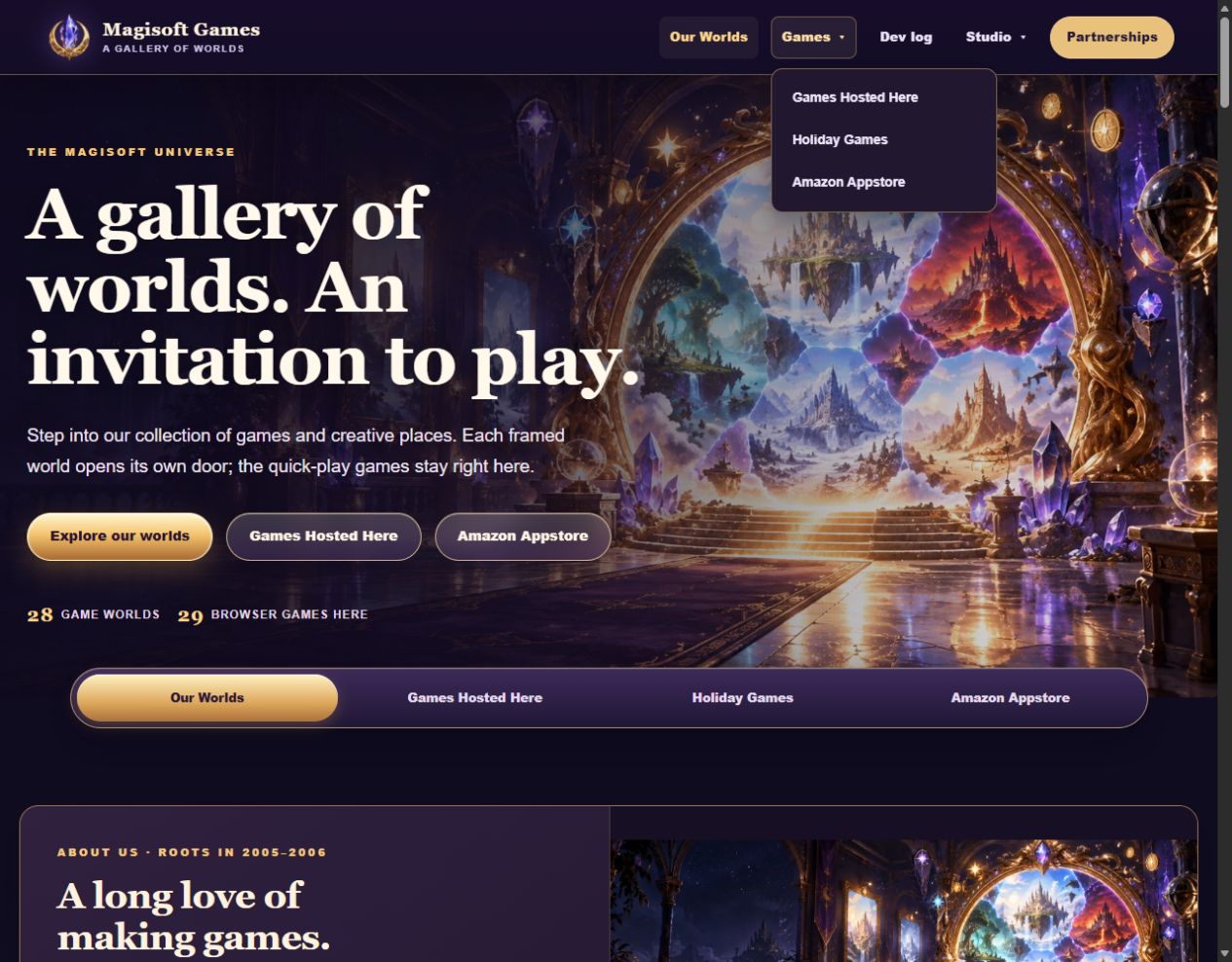
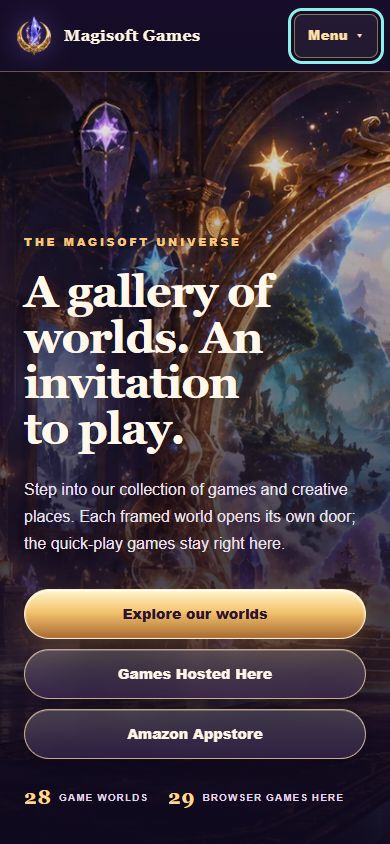
A shorter header, grouped game and studio links, and a compact Menu button for phones and tablets.
Our main navigation now fits into a single row. Games groups the hosted collection, Holiday Games, and Amazon Appstore. Studio brings About Us and Contact Us together, while Partnerships remains directly visible on desktop.
On phones and smaller tablets, the logo sits beside one Menu button. Opening the menu shows the destinations over the page instead of pushing the content farther down. Links remain available with keyboard navigation, visible focus, and Escape to close the menu.
The game-collection tabs are more compact too: four destinations sit in one row on larger screens and in two columns on phones.
What changed
- Grouped related destinations under Games and Studio.
- Added a compact Menu button for phones and smaller tablets.
- Kept menu panels over the page so opening them does not move its content.
- Reduced the vertical space used by game-collection tabs.
A closer look
Screenshots